
Sold by: airSlate
Deployed on AWS
Free Trial
AWS Free Tier
Fill out, edit, create, and manage PDF documents online. pdfFiller is an all-in-one solution for paperless document management that allows individuals and organizations of all sizes to speed up document workflows and reduce paper-related costs.
4.6
Overview
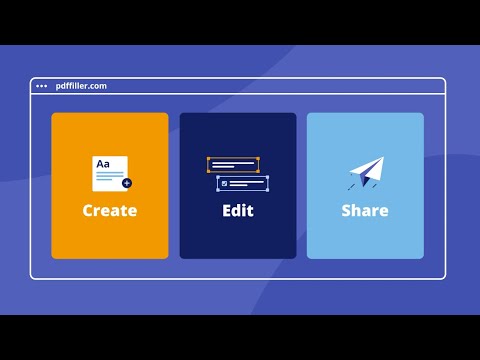
pdfFiller is an end-to-end solution that allows you to create, edit, and manage PDF documents in the cloud hassle-free. The product features an easy-to-use drag and drop editor that empowers users to modify or completely rewrite original PDF content. The software includes convenient annotation tools, powerful eSignature functionality, a straightforward PDF form builder, file converter, and many other features that accelerate business operations and make them less labor-intensive.
pdfFiller is an essential tool for digitizing document processes and reducing paperwork hassles. Edit or fill out PDF documents on any device, create fillable PDF forms and share them online, sign or send documents for eSignature, save time with reusable templates, and securely manage documents in the cloud.
With more than 56 million users worldwide and an overall user rating of 4.6 out of 5 on major review platforms, pdfFiller helps teams and individuals increase productivity, improve compliance, and reduce operating costs. Take advantage of the pdfFiller web and mobile apps to handle PDF-related tasks anytime and anywhere.
Interested in a free 30-day trial? Just reach out to your AWS Account Manager, your trusted AWS partner, or email us at AWSmarketplace@airslate.com to get started!
Highlights
- Increase productivity - pdfFiller empowers individuals and teams to reduce document turnaround from weeks to minutes. All thanks to a straightforward editor, advanced collaboration tools, eSignature functionality, and document management tools.
- Cut paperwork costs - Save up to $30 per document by eliminating the need to print, scan, fax, and deliver paper documents. Reduce paper consumption and other related storage costs. Go fully paperless and optimize your expenses in no time.
- Enhance security and compliance - pdfFiller maintains compliance with industry-leading security standards and regulations including HIPAA, GDPR, SOC 2 Type II, and others, keeping user data protected at all times.
Details
Sold by
Delivery method
Deployed on AWS
New
Introducing multi-product solutions
You can now purchase comprehensive solutions tailored to use cases and industries.

Features and programs
Financing for AWS Marketplace purchases
AWS Marketplace now accepts line of credit payments through the PNC Vendor Finance program. This program is available to select AWS customers in the US, excluding NV, NC, ND, TN, & VT.

Pricing
Free trial
Try this product free according to the free trial terms set by the vendor.
Pricing is based on the duration and terms of your contract with the vendor. This entitles you to a specified quantity of use for the contract duration. If you choose not to renew or replace your contract before it ends, access to these entitlements will expire.
Additional AWS infrastructure costs may apply. Use the AWS Pricing Calculator to estimate your infrastructure costs.
Dimension | Description | Cost/month |
|---|---|---|
pdfFiller Premium | 5 user included to pdfFiller Premium subscription | $40.00 |
Dimensions summary
This listing offers one pricing option: a pdfFiller Premium subscription that includes 5 users. You buy it as a contract, so pricing is fixed for the committed term rather than charged by usage. The single dimension covers a set number of users under the Premium plan. There are no separate tiers or add-on options in this listing. To support more than 5 users, contact the vendor about your options.
Top-of-mind questions for buyers
A user is one individual account with access to the Premium plan. The subscription includes 5 such accounts. Each person who edits, signs, or collaborates on PDFs uses one of these seats. Shared logins are not separate users, but each named account counts individually toward your 5.
This contract includes a fixed set of 5 users under the Premium plan. It does not add users automatically as your team grows. To support more than 5 people, contact the vendor about expanding your subscription.
No. This is a contract subscription for 5 Premium users, not usage-based billing. Your price stays fixed for the committed term regardless of how many documents you edit, sign, or share. Only the user count defines what you buy.
www.airslate.com
Helpful?
Vendor refund policy
All fees are non-refundable except as required by law.

Legal
Vendor terms and conditions
Upon subscribing to this product, you must acknowledge and agree to the terms and conditions outlined in the vendor's End User License Agreement (EULA) .
Content disclaimer
Vendors are responsible for their product descriptions and other product content. AWS does not warrant that vendors' product descriptions or other product content are accurate, complete, reliable, current, or error-free.
Delivery details
Software as a Service (SaaS)
SaaS delivers cloud-based software applications directly to customers over the internet. You can access these applications through a subscription model. You will pay recurring monthly usage fees through your AWS bill, while AWS handles deployment and infrastructure management, ensuring scalability, reliability, and seamless integration with other AWS services.
Resources
Vendor resources
Support
Vendor support
pdfFiller provides professional and prompt customer service via multiple support channels including live chat, email, and phone (for Enterprise users only). Please feel free to contact the pdfFiller support team at any time should you have any questions or requests. Live Chat: https://www.pdffiller.com/en/support.htm , Email Support: support@pdffiller.com , Phone Support: 1 (617) 982 1800
AWS infrastructure support
AWS Support is a one-on-one, fast-response support channel that is staffed 24x7x365 with experienced and technical support engineers. The service helps customers of all sizes and technical abilities to successfully utilize the products and features provided by Amazon Web Services.
Similar products

pdfRest API Toolkit delivers powerful, secure, and scalable PDF processing, developed by the document experts at Datalogics.
With dozens of flexible API endpoints, it supports document conversion, editing, security controls, data extraction, redaction, XFA forms and Acroform handling, PDF to Office exports, and more. Easily integrate into any application or workflow to automate bulk, batch, and real-time document processing with full control via a dedicated EC2-based REST API.
Built on the Adobe® PDF Library™ - the same core technology that powers Adobe Acrobat - pdfRest offers the gold-standard solution for high-quality, customizable PDF automation trusted by developers and enterprises worldwide.

Run the full pdfRest PDF processing API as a self-hosted container in your own AWS account - 40+ REST API endpoints, entirely inside your VPC. Bring your own pdfRest license.

Aspose.PDF for AWS is a REST API service built on top of Aspose. PDF for the .NET library. It's designed to make your work easier.
You can work with PDF documents and other file formats and various functions, including document merging, page numbering, font settings, comparison, compression, and conversion.
The Aspose.PDF team has developed client SDKs for all popular programming languages, making the service ideal for developing document processing applications of any type and level of complexity.

The PDF Obfuscation Pipeline is a powerful solution for transforming sensitive PDF documents into safe, shareable assets. It enables organizations to unlock the value of clinical data while ensuring strict compliance with HIPAA, GDPR, and institutional privacy standards.
Customer reviews
Anna H.
A cleaner onboarding flow without emailing PDFs back and forth
Reviewed on Sep 28, 2026
Review provided by G2
What do you like best about the product?
During onboarding, we used to deal with documents arriving in different formats, fields left incomplete, missing signatures, and multiple versions of the same file bouncing around in email. With Reusable Templates, fillable fields, and Magic Fields, we’ve been able to convert most of those static PDFs into forms we prepare once and then reuse for each new hire. LinkToFill allows employees to enter their information directly, and Request eSignatures manages signer roles, signing order, reminders, and tracking. For acknowledgements, internal policies, and employment documents, this has eliminated a lot of manual follow-up and chasing. The Audit Trail also gives HR a clear record of who opened and signed each document, along with the timing. We occasionally use pdfFiller’s form library for common administrative paperwork like W-4, W-9, or I-9 forms, but we still review and validate each document before using it in an active HR process.
What do you dislike about the product?
Pricing really depends on how far you want to take your workflow. The Basic plan is enough for straightforward PDF editing. Plus adds reusable templates, fillable forms, and signature requests, while Premium makes the most sense when your team needs broader signing workflows, branding, and user administration.
What problems is the product solving and how is that benefiting you?
During onboarding, we used to receive documents in different formats, incomplete fields, missing signatures, and multiple versions of the same file floating around email. With Reusable Templates, fillable fields, and Magic Fields, we turned most of those static PDFs into forms we can prepare once and reuse for each new hire. LinkToFill lets employees complete the information directly, while Request eSignatures handles signer roles, sequence, reminders, and tracking. For acknowledgements, internal policies, and employment documents, that removed a lot of manual chasing. The Audit Trail also gives HR a clear record of who opened and signed each document and when. We sometimes use pdfFiller’s form library for common administrative paperwork such as W-4, W-9, or I-9 forms, but we still validate the document before putting it into an active HR process.
Alesia N.
Magic Fields completely cut down our PDF prep time
Reviewed on Sep 01, 2026
Review provided by G2
What do you like best about the product?
Magic Fields saves us a noticeable amount of setup time on documents that already have a clear structure. It can spot areas for names, dates, and signatures and convert them into fillable fields, so we’re not placing every field manually from scratch. It still doesn’t understand the entire document for us, and checkboxes or radio buttons need extra attention, but on forms with predictable text areas it eliminates a lot of repetitive work. We pair that with Reusable Templates, Shared Templates, LinkToFill, and Request eSignatures for agreements, change requests, approval forms, and other documents that come back again and again. Rather than creating a fresh copy each time, we keep a standard version in the workspace, let the client enter the required information through LinkToFill, and then move the final document into the signature flow with the right recipients and signing order. The Online PDF Editor also covers the small edits that used to send us back to Word or design, like fixing a sentence, hiding information, adding an image, reordering pages, or converting the file. Audit Trail and version history have been especially helpful when several people touch the same document, because we can see who opened, edited, shared, or moved it, and recover from a bad change without guessing which attachment was the last clean version.
What do you dislike about the product?
Magic Fields feels like a head start rather than an autopilot. It does a solid job recognizing fields that are laid out with clear lines and empty spaces, but it doesn’t always understand every relationship within a more complex form. We still need to review field ownership, which values are optional versus required, signing roles, and the order someone is expected to complete the document. For anything involving checkboxes, radio buttons, or less predictable layouts, that QA step really matters. It definitely saves preparation time, but I still wouldn’t send a client-facing document just because the automatic detection finished successfully.
What problems is the product solving and how is that benefiting you?
We used this workflow on an implementation project where the client needed to provide technical information, approve the scope, and sign off before the next phase could begin. Before that, each item was being sent around as a separate email attachment, which made it surprisingly easy for someone to fill out or approve an older version by mistake. We converted the intake form using Magic Fields, saved the scope as a Reusable Template, and kept both in the shared workspace. The client submitted the initial information through LinkToFill, we reviewed it, and then generated the final document for Request eSignatures with the correct signing sequence. In our first test run, we caught two optional fields that were assigned to the wrong recipient, plus a checkbox that Magic Fields didn’t detect at all. We corrected the template before it became the version everyone would reuse. Once the document moved through signature, Audit Trail gave us a clear record of when it was opened, completed, and approved before the project status changed. The bigger win wasn’t only faster field creation. It was having the intake, reusable content, signatures, and document history in one controlled flow, instead of managing approvals through a stack of attachments with nearly identical filenames.
Komal S.
Instant Support, Easy PDF Editing, and Helpful AI Summaries
Reviewed on Aug 26, 2026
Review provided by G2
What do you like best about the product?
Instant customer support and best tool to edit and fill pdf along with AI assistant which helps to summarize any long pdf very easily. Very easy to use UI. All over very good tool for editing PDF's.
What do you dislike about the product?
Sometimes scanned PDF to Word conversion is not accurate. The converted document does not properly retain the original content and formatting, which requires significant manual corrections after conversion.
What problems is the product solving and how is that benefiting you?
We need to document the software application we are developing in our organization and also gets the pdfs about the functionality of the application so we need to edit the pdf like highlight any text add watermark of our organization, use AI assistant to summarize the pdf.
Civil Engineering
PDF filler Saves Me Time on Everyday Tasks
Reviewed on Jul 27, 2026
Review provided by G2
What do you like best about the product?
Really helpful, and it saves me a lot of time on day-to-day tasks.
What do you dislike about the product?
Nothing. Everything I ask of PDF Filler works.
What problems is the product solving and how is that benefiting you?
Document signatures work really well, and the saved details for form filling help me save so much time.
Yurii L.
pdfFiller lets us update forms without rebuilding the whole workflow
Reviewed on Jul 23, 2026
Review provided by G2
What do you like best about the product?
We use pdfFiller when a workflow still depends on a PDF but doesn’t justify rebuilding the entire experience in Razor, Blazor, or a separate frontend. That’s where it has been most useful for me as a .NET Technology Lead. I don’t treat it as a backend, a database, or the place where business rules should live; it works best as the document layer around a process that still needs to generate, complete, and sign an approved file. The Online PDF Editor lets us correct text, add images, reorder pages, annotate content, and apply redactions without constantly going back to the source document. That saves more time than it sounds like, especially when we’re dealing with third-party forms or legacy PDFs and the requested change is nothing more than a label, date, or instruction. Magic Fields also gives us a practical head start by identifying lines and empty areas that are likely to be text, date, or signature fields. On a multi-page onboarding form, it produced most of the initial structure in seconds. It did miss part of a poorly aligned table and assigned a few fields incorrectly, but even with a quick review of names, roles, and positions, it was still much faster than placing everything manually from scratch.
What do you dislike about the product?
The interface can feel crowded, especially for someone who just needs to complete a simple task. Options for editing, converting, sending, signing, sharing, requesting information, and managing pages are all placed fairly close together, and the right action isn’t always obvious if you don’t already understand the workflow behind the document.
What problems is the product solving and how is that benefiting you?
A client needed to digitize an authorization form while preserving the exact layout already approved by the legal department. Previously, users had to download the file, fill it out manually, sign it, scan it, and email it back. We uploaded the document to pdfFiller and used Magic Fields to generate an initial set of fillable fields. From there, we manually corrected field roles and positioning, then added Conditional Fields so that additional information appeared only when users selected specific answers. We published the flow through LinkToFill, and our .NET service generated the link from the active request and stored the external document identifier on the corresponding internal record. After the document was completed, we updated the request status and archived the final copy in line with the client’s retention policy. During testing, we found a flaw in our conditional logic: a required value could disappear if the same answer was changed twice. Instead of piling on more conditions inside the PDF, we simplified the form logic and kept the final validation in the backend before accepting the document. Overall, pdfFiller let us preserve the legal format without building another document editor, eliminated the download-and-email loop, reduced incomplete submissions, and provided proper traceability. Just as importantly, it connected the document to our application without turning the PDF into the place where every business rule had to be maintained.