
Sold by: DocuClipper
Automate data extraction from any scanned or digital document.
4.7
Overview
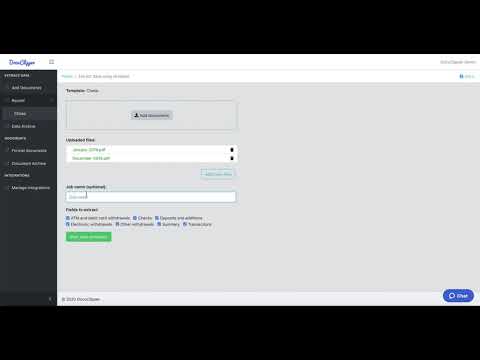
DocuClipper is a powerful and easy-to-use data extraction software that can pull data from any scanned or digital PDF.
Customers use DocuClipper to pull data from bank statements, tax forms, reports, invoices and more. The extracted data can be automatically sent to Excel, QuickBooks, and other apps.
DocuClipper is highly scalable and can process multiple documents at the same time, making the data available in seconds.
Learn more at https://www.docuclipper.com .
Highlights
- Extract data from any scanned or digital PDF.
- Integrated with Excel, QuickBooks and more!
- Get your data extracted in seconds.
Details
Sold by
Categories
Delivery method
Deployed on AWS
New
Introducing multi-product solutions
You can now purchase comprehensive solutions tailored to use cases and industries.

Features and programs
Financing for AWS Marketplace purchases
AWS Marketplace now accepts line of credit payments through the PNC Vendor Finance program. This program is available to select AWS customers in the US, excluding NV, NC, ND, TN, & VT.

Pricing
Pricing is based on the duration and terms of your contract with the vendor. This entitles you to a specified quantity of use for the contract duration. If you choose not to renew or replace your contract before it ends, access to these entitlements will expire.
Additional AWS infrastructure costs may apply. Use the AWS Pricing Calculator to estimate your infrastructure costs.
Dimension | Description | Cost/month |
|---|---|---|
DocuClipper Business | 2000 pages / month / user. Dedicated support manager. | $99.00 |
Vendor refund policy
7-day money back guarantee

Legal
Vendor terms and conditions
Upon subscribing to this product, you must acknowledge and agree to the terms and conditions outlined in the vendor's End User License Agreement (EULA) .
Content disclaimer
Vendors are responsible for their product descriptions and other product content. AWS does not warrant that vendors' product descriptions or other product content are accurate, complete, reliable, current, or error-free.
Delivery details
Software as a Service (SaaS)
SaaS delivers cloud-based software applications directly to customers over the internet. You can access these applications through a subscription model. You will pay recurring monthly usage fees through your AWS bill, while AWS handles deployment and infrastructure management, ensuring scalability, reliability, and seamless integration with other AWS services.
Resources
Vendor resources
Support
Vendor support
Email, chat, phone. support@docuclipper.com
AWS infrastructure support
AWS Support is a one-on-one, fast-response support channel that is staffed 24x7x365 with experienced and technical support engineers. The service helps customers of all sizes and technical abilities to successfully utilize the products and features provided by Amazon Web Services.
Customer reviews
Deirdre d.
Docuclipper Saves Us Hours and Boosts Productivity
Reviewed on May 25, 2026
Review provided by G2
What do you like best about the product?
Docuclipper is extremely helpful to our business. We are a small accounting firm. We no longer have to manually input information to our accounting software saving us a huge amount of time and has increased productivit.
What do you dislike about the product?
There can sometimes be inaccuracies we have noticed, especially with Allied Irish Bank account statements.
What problems is the product solving and how is that benefiting you?
Bank reconciliation is generated immediately saving a huge amount of time. Reduces human error.
Anonymous
Effortless Statement Conversion, Time Saver
Reviewed on May 21, 2026
Review provided by G2
What do you like best about the product?
I find DocuClipper easy to use, and it saves me heaps of time when converting bank and credit card statements to CSV files. I appreciate that it shows my history clearly. The initial setup was also very easy. Plus, I use it to convert files seamlessly for Xero. I'm so satisfied that I rated my likelihood to recommend it a 10 out of 10.
What do you dislike about the product?
It is expensive for occassional use, but worth it.
What problems is the product solving and how is that benefiting you?
I use DocuClipper to convert bank and credit card statements to CSV files, and it saves me heaps of time.
Accounting
Easy, Accurate PDF-to-CSV & Excel Bank Statement Conversion
Reviewed on May 20, 2026
Review provided by G2
What do you like best about the product?
The best thing I like about Docuclipper is how easy and accurate it converts bank statements in PDF into CSV & Excel files.
What do you dislike about the product?
I have not found any downsides to using DocuClipper
What problems is the product solving and how is that benefiting you?
It is benefiting me tremendously because clients like to send bank statements in PDF format, which I need to categorize and summarize their transactions for financial statements and/or tax returns.
Cheryl P.
Fast, Fully Online DocuClipper That Streamlines Financial Document Processing
Reviewed on May 19, 2026
Review provided by G2
What do you like best about the product?
Our team appreciates that DocuClipper is fully online, allowing us to access it from anywhere without worrying about whether we are using a PC or a Mac. The platform is fast and automated, making financial document processing much more efficient than manual data entry. We also like that it clearly shows how many pages remain in each subscription period, making usage easy to track and manage. One of the biggest advantages is how easy it is to correct unreadable or misinterpreted numbers before exporting, which helps ensure smoother, more accurate reconciliations.
What do you dislike about the product?
After upgrading from a clunkier desktop app, there’s honestly nothing I dislike about it.
What problems is the product solving and how is that benefiting you?
DocuClipper solves the problem of poor-quality or inconsistent PDF financial documents that typically require extensive manual cleanup before they can be imported into accounting software. Instead of spending time fixing formatting issues, retyping transactions, or trying to make unusable PDFs work properly, our team can upload the documents directly and quickly review the extracted data. This has significantly reduced manual processing time, improved efficiency, and made it much easier to prepare files for reconciliation and bookkeeping workflows.
Accounting
Fast, Accurate PDF-to-CSV Conversions for Bookkeeping Prep
Reviewed on May 18, 2026
Review provided by G2
What do you like best about the product?
Converting PDF bank statements into a CSV file for bookkeeping prep makes my job faster and more accurate.
What do you dislike about the product?
There are random times when Docuclipper doesn’t convert the statements correctly and ends up missing pages. Then I have to figure out what’s missing and manually add it back in.
What problems is the product solving and how is that benefiting you?
Before DocuClipper, we had to manually type bank transactions into our bookkeeping software or into a CSV file for upload. This took a lot of time, and there were often typos. With DocuClipper, I save at least 75% of the time compared with manual entry, because I can download the bank statement information in a CSV format instead.